 Scrutora
Reports
One place to answer: who agreed to what, and how are we doing?
Consent arrives from your website banner and from forms parents sign on WhatsApp or at the front desk. Reports puts every one of them in a single ledger, finds the same person across all of them, and turns the month into a summary your board can read.
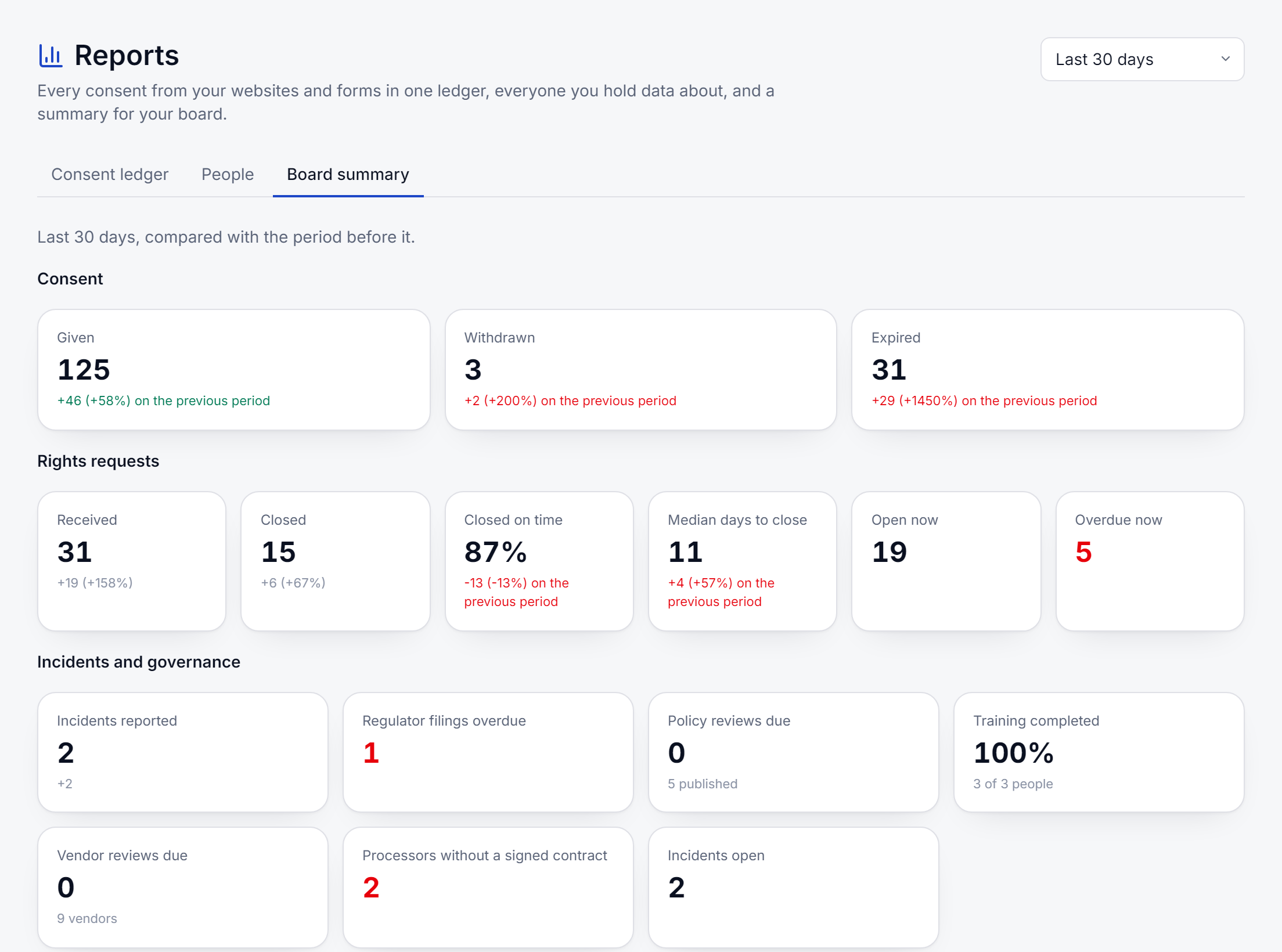
Three reports
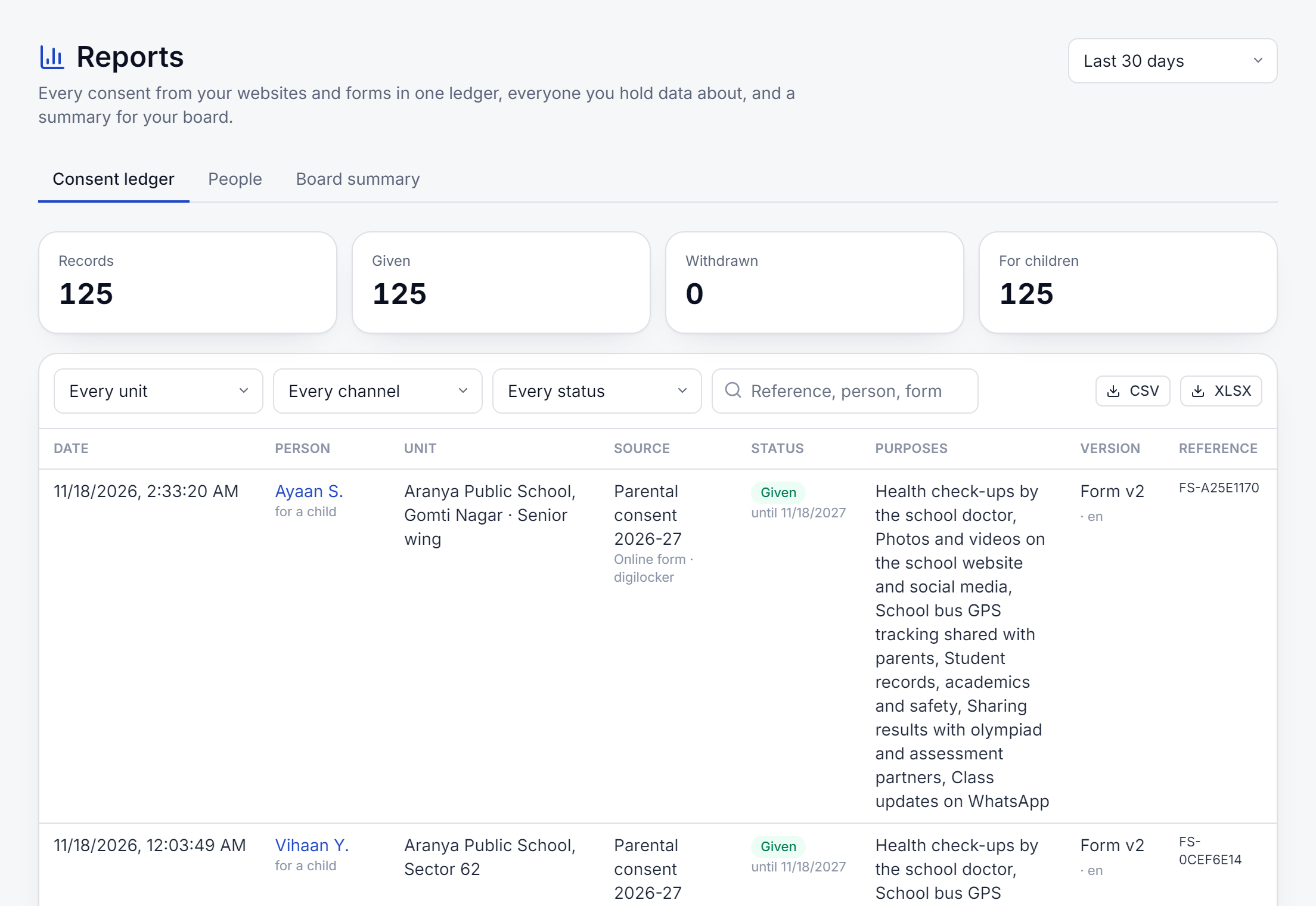
- The consent ledgerEvery consent from websites and forms in one list: given, withdrawn, rejected, expired or waiting for review.
- PeopleEveryone you hold consent or a request for, found across every source, with what they agreed to and asked for.
- The board summaryThe period at a glance, compared with the one before, saved so it cannot change later.
The consent ledger
Website and forms, in one list you can hand over.
Pick a period: the last week, month, quarter, year, or your own dates. Filter by school or unit, by channel and by status, and each filter shows how many records it holds. Export exactly what is on screen as a spreadsheet.
- Each row carries its reference and a fingerprint of the sealed record behind it
- Consent for a child is marked as such
- Exports are safe to open in a spreadsheet: no cell can run as a formula
People, found across every source
The same parent may have accepted your website banner, signed two forms and asked for their data. People matches them by their email or phone and shows one profile: consents, requests, withdrawals, breach notices sent to them, nominees and children they sign for. Download a proof pack for that person, with its own fingerprint so it can be shown to be unchanged.
Identifiers are masked for everyone except owners and admins, and every time someone opens a profile it is recorded.
Included with Consent or Consent Capture
Reports read what the rest of Scrutora already records. Save a board summary when you present it, or have it emailed on the first of each month.
See it on your own case.
Tell us what you collect and from whom. We will show you the product on your forms, register or code.