 Scrutora
Breaches and incidents
When something goes wrong, know who to tell and by when.
A laptop with admission forms is stolen from a car. CERT-In expects a report within six hours, and under the DPDP Rules the Data Protection Board and every affected person must be told. Scrutora starts the clocks the moment you record what you know, drafts each report, and tells the people affected, with a record of who was told.
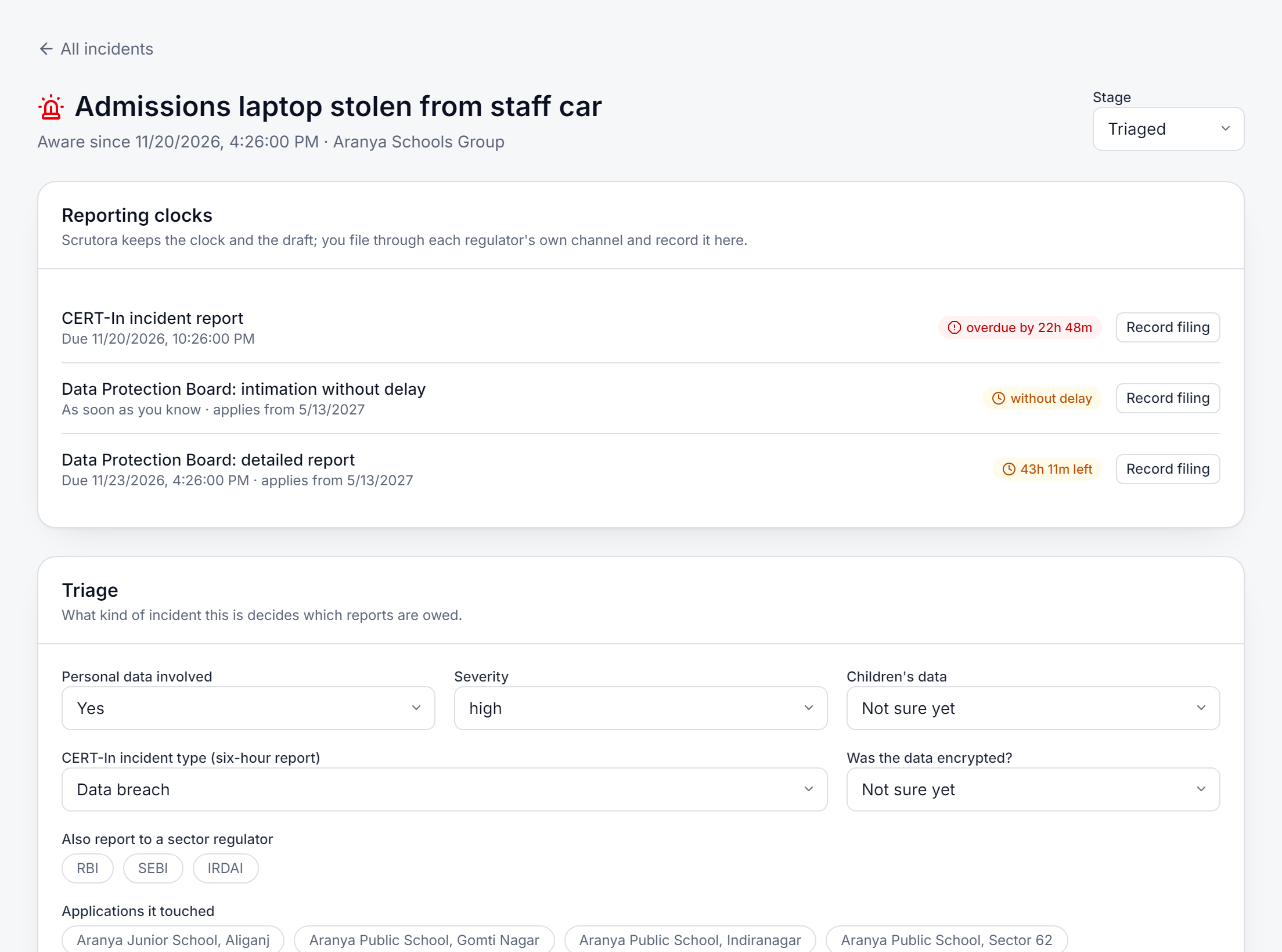
The clocks it keeps
- CERT-In, six hoursFor cyber incidents, from the time you became aware. This applies today, to every organisation in India.
- Data Protection Board, 72 hoursIntimation without delay, then a detailed report within 72 hours, under Rule 7 of the DPDP Rules. Shown as applying from 13 May 2027.
- Your sector regulatorFlag the incident for RBI, SEBI or IRDAI and their reporting window is added to the same list.
Triage and drafts
Answer a few questions. The reports draft themselves.
Say whether personal data was involved, how serious it is, whether children's data or unencrypted data was affected, and which schools or units it touched. Scrutora drafts the notice to each affected person and the reports to the Board and CERT-In, and suggests the kinds of data involved from what your code says those systems hold. Anything still missing is named, so nothing goes out half filled.
- An alert an hour before each deadline and again when it passes
- Tasks with owners and due dates, and evidence files with their SHA-256
- Every change on the incident logged with who made it and when
- A vendor can report an incident from the vendor portal; it arrives here
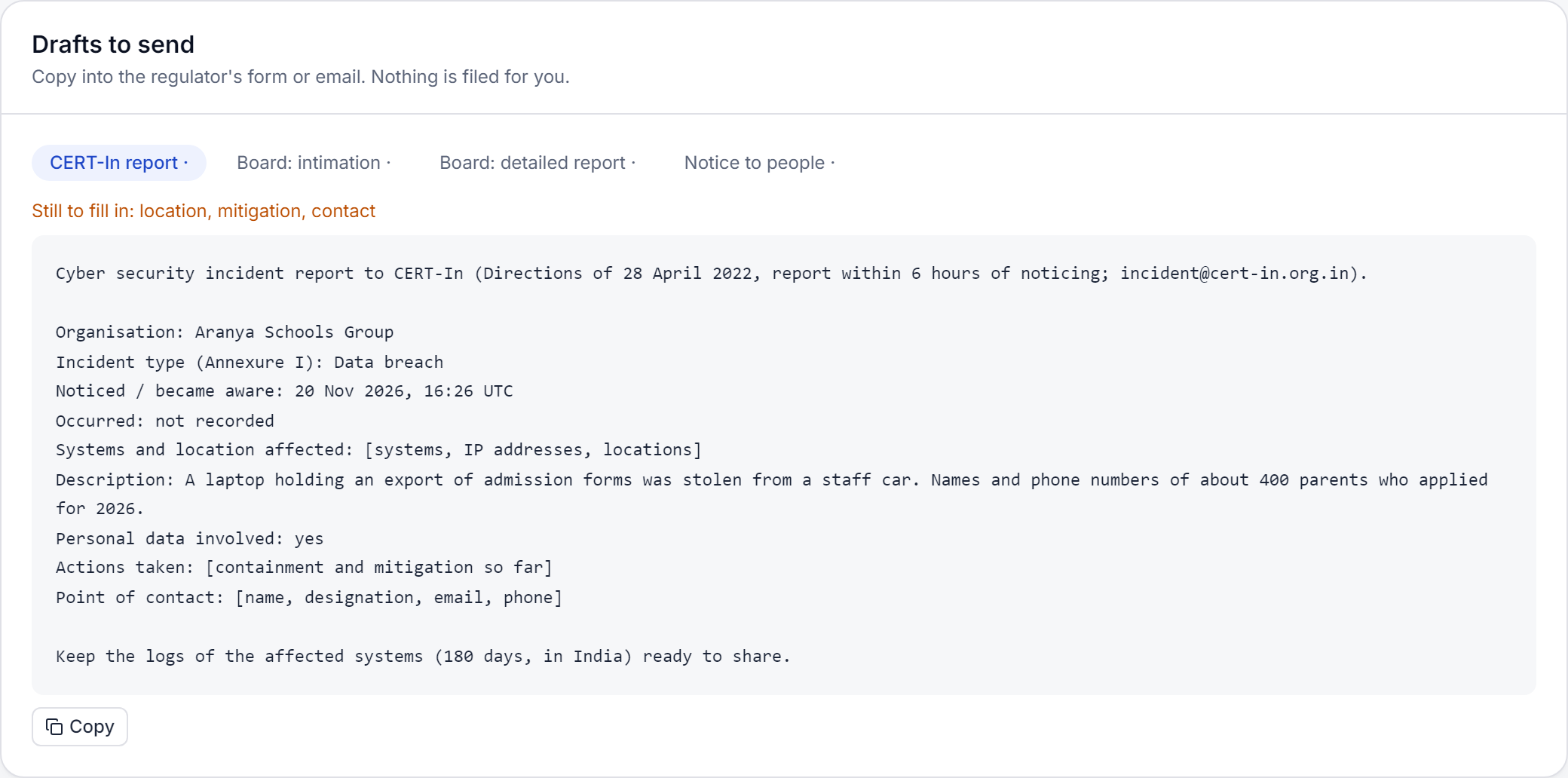
Tell the people affected, and keep the receipt
Choose who to tell: the people known from your website, your Consent Capture contacts and groups, or a list you paste. Preview the count, then send the notice by email, or by SMS with a link to it. Each person gets a row in the delivery log, sent, delivered or failed, kept with a masked address rather than the address itself.
Scrutora keeps the clock, the drafts and the record. You file with each regulator through its own channel and record the filing here.
Comes with Consent, Consent Capture or the Processing Register
Every organisation that collects consent with Scrutora gets the incident record, and it is available on its own.
See it on your own case.
Tell us what you collect and from whom. We will show you the product on your forms, register or code.